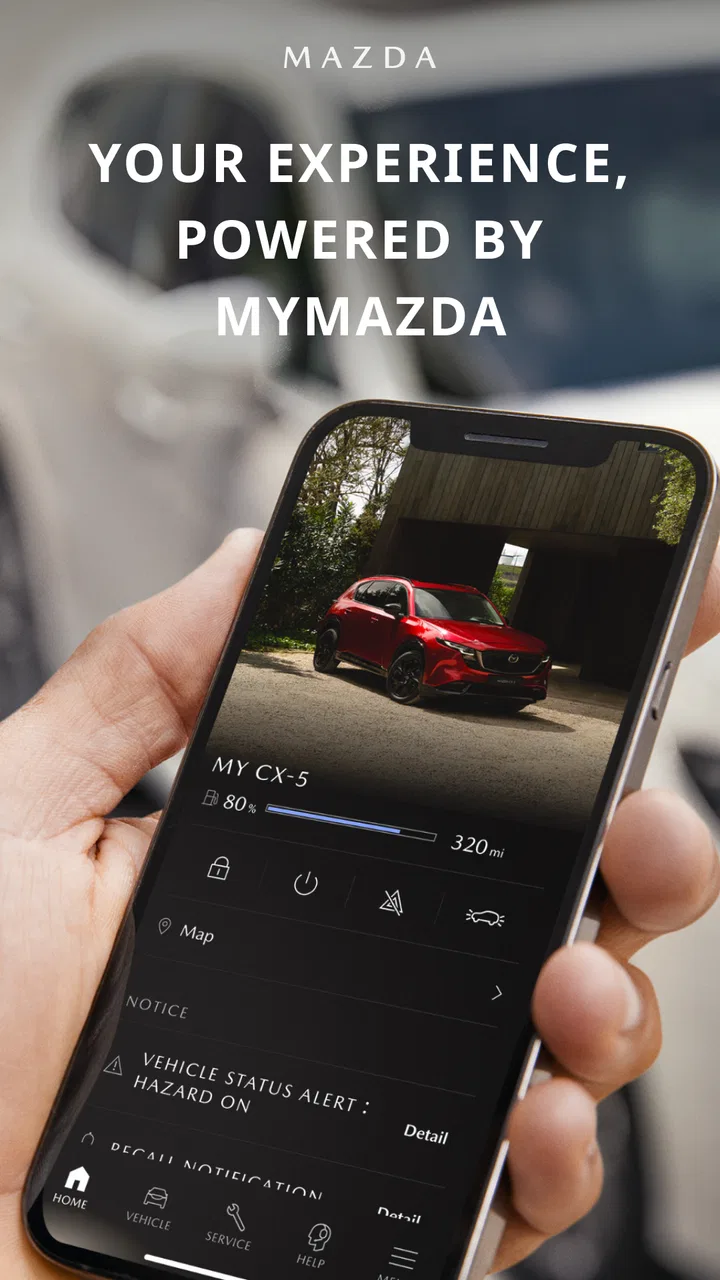
MyMazda
- 4.4
- Rating
- 1.00M
- Installs
- Free
- Price

 Analysis by App-foxy
Owning a Mazda often means keeping track of more than the drive itself: service appointments, vehicle information, roadside help, and the small details that are easy to forget between visits. I spent time with MyMazda to see whether it genuinely makes those ownership tasks easier or simply adds another app to an already crowded phone. My overall impression is positive, especially for drivers who want one Mazda-focused place to organize routine ownership rather than relying on memory, paper documents, or several unrelated tools.
This is a free lifestyle app from Mazda Motor Corporation, aimed at Mazda owners rather than general car shoppers. It has an Everyone age rating, so its presentation is accessible and straightforward. The app has been available since February 29, 2012, and its current version is 9.4.1, with support beginning at iOS and Android operating-system version 10. That last point matters more than it may seem: if your phone is older than that requirement, the app is not a practical option until you update the device or move to a newer one.
What the app actually adds to Mazda ownership
The strongest idea behind MyMazda is consolidation. Instead of treating ownership as a collection of separate moments, it gives those moments a common home. A driver can use it as a reference point when thinking about the car, preparing for service, or trying to remember where to find ownership-related information. I found that most useful on ordinary days, not just during a breakdown or dealership visit.
You May Also Like

 Blood Strike: 2.5 Anniversary
Blood Strike’s Loadouts Turn Every Drop Into a Tactical Gamble
A close look at Blood Strike’s custom loadouts: how fast access to signature weapons reshapes its battle royale rhythm, rewards preparation, and narrows the gap between fights.

 Pandora - Music & Podcasts
Pandora’s Music Is Easy to Start, but Harder to Recover
Pandora’s strength is its low-effort path from a seed to a station. Its weak spot is how much confidence it asks you to place in connection, setup, and quiet recovery.

 8 Ball Pool
 Is Built on Rivalries, Rematches, and Routine
A close look at the rivalries, rematches, shared routines, and unanswered safety questions that turn a quick pool match into a persistent mobile community.

 Samsung Music
’s Quiet Strength Is Playing What You Already Own
Its reach comes less from spectacle than from dependable access to a personal library. That simplicity is both the app’s strongest retention engine and its ceiling.

 AccuWeather: Weather Radar
AccuWeather Review: A Quick, Clear Forecast for Everyday Decisions
For everyday plans, the best forecast is the one you can understand quickly. AccuWeather makes rain timing, radar, and local conditions easy to act on, with a few trade-offs.

 Hill Climb Racing
Why Hill Climb Racing Still Turns Crashes Into One More Run
A tiny car, a bumpy hill and one more upgrade: Hill Climb Racing keeps resurfacing because its simple chaos makes every near-miss feel personal.
More From Our News Desk



That distinction is important. This is not a general driving assistant, a route-planning replacement, or a broad lifestyle platform. Its usefulness depends on your relationship with a Mazda vehicle. If you drive several brands, borrow cars frequently, or only need occasional navigation, a manufacturer-specific app may feel unnecessarily narrow. For a Mazda owner who wants the manufacturer’s own ownership channel close at hand, that narrow focus becomes the main advantage.
Mazda Motor Corporation is the developer, which gives the app a direct connection to the brand it represents. That does not automatically make every interaction perfect, but it does make the app more relevant than a generic vehicle-notes app. A third-party reminder tool might help you record an appointment, yet it will not feel as naturally connected to Mazda ownership tasks.
A realistic everyday workflow
Imagine noticing a warning light or remembering that the car is approaching its next service interval while you are away from home. MyMazda is useful in that moment because it gives you a Mazda-centered place to begin rather than forcing you to search through old messages, dealership paperwork, and unrelated calendar entries. I would open it before calling, check the relevant ownership information, and then use the resulting context to make a more informed decision about the next step.
The same workflow helps before a longer trip. I like the idea of checking the app while planning the journey, not because it replaces a mechanic or roadside professional, but because it reduces the chance of forgetting a routine ownership task. That is one of the less obvious benefits: the app can act as a preparation habit. Opening it briefly before a trip may reveal something you would otherwise remember only after the car is already on the road.
It is also useful when more than one person shares a vehicle. A family member may know how to drive the car but not remember its service history or the correct ownership details. Having a single Mazda-specific reference point can reduce the “I thought you had that information” problem. The benefit is organizational rather than dramatic, but those small reductions in friction add up over months of ownership.
Why a manufacturer app can beat generic alternatives
Generic calendar apps are excellent for reminders, and note-taking apps are flexible enough to store almost anything. They are also less likely to guide you through the ownership context of a Mazda. MyMazda’s value comes from that specialization: it is not asking you to design your own vehicle-management system from scratch.
A dealership’s website may be better when you need a full service transaction or a detailed online account, while a phone call may still be faster for a complicated question. I would not treat MyMazda as a replacement for either option. Instead, I see it as the layer between everyday ownership and those more involved interactions. It helps you arrive at the dealership or support conversation better prepared.
That comparison also exposes the main trade-off. A generic tool works with any car and remains useful if you change brands. MyMazda gives up that flexibility in exchange for Mazda-specific relevance. If you are looking for a universal maintenance tracker for a household with several different vehicles, another app may be the better long-term choice.
Free access and what “value” means here
The app itself is free. That makes the decision uncomplicated from a purchase standpoint: there is no listed upfront price to weigh against the convenience it provides. The value question is therefore about time, organization, and how often you use Mazda-related ownership tools, not about recovering a subscription fee.
I would still separate free access from unlimited value. An app can cost nothing and remain unnecessary if you rarely interact with service information or manufacturer support. On the other hand, a free tool that helps you avoid one missed appointment or one frustrating search through documents can be worthwhile for an active owner. In my experience, MyMazda makes the most sense when it becomes part of a routine instead of an app installed once and forgotten.
The app’s popularity supports that practical appeal without proving that every owner will enjoy it. It has an average rating of 4.4 from around 62 thousand ratings, while the review count sits at roughly 4.7 thousand. It has also passed one million installs. I read those figures as evidence of broad interest, not as a guarantee. Manufacturer apps often serve very different owners, vehicles, phones, and expectations, so your experience can still depend heavily on your setup and how much of the app you actually need.
Three habits that make it more useful
First, I would open the app before an appointment rather than during the appointment. That gives you time to notice missing information, confirm what you want to ask, and avoid trying to solve everything while standing at a service counter. The app is more valuable when it helps you prepare than when you expect it to perform all the work at the last second.
Second, I would use it as a shared reference point for household driving. If two people use the same Mazda, agree on where ownership information should be checked instead of scattering details across personal notes. This does not eliminate communication, but it makes the conversation more concrete when one driver notices a problem and the other needs to follow up.
Third, I would treat the app as an early-warning aid, not a diagnosis tool. If something feels wrong with the car, use the information available to decide whether to contact Mazda support, a dealership, or a qualified professional. Avoid turning a convenient digital reference into permission to ignore a physical symptom. That boundary is easy to overlook because an official-looking app can feel more authoritative than it really is in a particular mechanical situation.
Where the experience can feel limited
The first limitation is the app’s narrow audience. MyMazda is valuable because it is built around Mazda ownership, but that same focus makes it less attractive for people who want one dashboard for every car in the family. If your main need is fuel logging, mileage analysis, or maintenance records across several brands, a dedicated automotive tracker may offer a more consistent system.
The second issue is expectation management. A manufacturer app can make ownership feel more organized, but it cannot remove the need for a dealership, roadside service, or mechanic when the situation becomes complex. I would not install it expecting a complete replacement for those human services. Its best role is to make the handoff smoother and help you approach the next step with better information.
There is also a practical device consideration. The minimum operating-system requirement is version 10, so owners using older phones should check compatibility before planning around the app. This is not a criticism of the ownership concept, but it is a real trade-off: the app’s convenience depends on having a supported device and keeping that device in usable condition.
Another possible source of friction is that an app only helps when its information fits your ownership situation. A driver who changes vehicles often, shares cars across accounts, or prefers paper records may find the digital workflow less natural. I personally prefer having a central app, but I would still keep important vehicle documents and emergency contacts available through a backup method rather than depending on one phone screen.
Who will get the most value
I would recommend MyMazda first to current Mazda owners who want a simple ownership companion and are comfortable handling routine tasks through a phone. It is especially suitable for people who regularly schedule service, share a car with family, or dislike searching through email and paperwork whenever a vehicle question comes up.
It can also help newer owners build a better routine. Someone who has just started managing a car independently may not yet have a reliable system for service information and manufacturer support. A Mazda-focused app gives that person a natural starting point, even if they later add a separate calendar or maintenance log.
Drivers who should skip it are not necessarily unhappy Mazda owners. If you already have a trusted, brand-neutral system that covers all your vehicles, adding MyMazda may create duplication rather than convenience. The same is true if you rarely use digital tools for car ownership and prefer calling a dealership directly. Free installation alone is not a reason to keep an app that does not fit your habits.
What to expect as the app evolves
The long life of a manufacturer app can be reassuring, but I would separate that history from assumptions about what any particular update will bring. MyMazda has been available since 2012 and is now at version 9.4.1; that establishes a continuing product, not a promise that a specific feature, interface change, or service will arrive next. For an owner deciding whether to try it, the current practical question is whether its existing ownership workflow is useful today.
That distinction matters when you are comparing it with a newer third-party tracker. A newer-looking interface is not automatically better for Mazda-related tasks, while a mature brand app is not automatically the most flexible choice. I would judge the current experience by whether it helps you handle your own recurring needs, and treat future changes as a possible benefit rather than a reason to install it now.
Existing users should also think about continuity in a simple way: keep habits and records that matter to you in a form you can still reach if you change phones or stop using the app. I do not mean duplicating every screen on paper. I mean retaining essential appointment details and emergency contacts somewhere dependable, especially if other people in your household may need them. That small backup makes a phone-based system less fragile without taking away its convenience.
Small decisions that prevent ownership hassles
One useful way to make a manufacturer app earn its place is to connect it to a real event you already have, such as preparing for a scheduled service visit. Rather than opening it randomly, make it part of the few minutes when you gather questions, check your calendar, and decide whether you need to contact the service department. This keeps the app from becoming another notification source you ignore and turns it into a deliberate reference.
For a shared Mazda, agree on who will follow up after an issue is noticed. An app can centralize information, but it cannot make one household member responsible for the next call or appointment. I would use the app to support that handoff: one person can flag the concern, while the other knows where to look before contacting a professional. The useful insight is that organization works best when the family agrees on a process, not merely when everyone installs the same software.
If you are new to the brand, do not assume that installing a Mazda app means every car-related task belongs in it. Keep navigation in the tool you already trust, use a calendar for appointments if that is where you reliably see reminders, and turn to qualified help for mechanical concerns. A focused app is strongest when it complements those choices instead of trying to replace them all.
My final recommendation
MyMazda succeeds because it addresses a modest but genuine problem: Mazda ownership information is easier to handle when it has a dedicated place. I appreciate that its value does not depend on flashy extras. The app is best viewed as a practical bridge between everyday driving and the larger Mazda support experience.
My verdict is to try it if you own a Mazda and want a manufacturer-specific way to stay organized. Since access is free, the risk is mainly the time spent setting it up and learning whether it fits your routine. Keep a generic tool instead if you manage multiple vehicle brands, need detailed cross-car tracking, or already have a workflow that works well.
With its 4.4 average, broad installation base, Everyone rating, and ongoing version 9.4.1 release, the app has the signs of a mature ownership companion. Those figures do not erase its limits, but they do make it a reasonable first choice for Mazda drivers who want less friction around routine vehicle care. If your goal is a clearer ownership routine rather than a universal car-management system, MyMazda is worth keeping on your phone.
FAQs for MyMazda
01What is MyMazda, and what can I use it for?
MyMazda is Mazda’s official companion app for vehicle owners. After signing in and adding an eligible Mazda, you can view vehicle information, check maintenance details, find dealers, schedule or request service in supported markets, and access roadside assistance resources. Some features may vary depending on your country, Mazda model, model year, connected-services package, and whether your vehicle supports remote connectivity.
02Can I use MyMazda with any Mazda vehicle?
Not every Mazda has access to the same MyMazda functions. Basic account and vehicle information may be available for many models, while connected features such as remote locking, vehicle status, location, or remote start depend on the specific vehicle, model year, subscription, and regional availability. Before downloading, check Mazda’s compatibility information and confirm that your vehicle identification details can be registered in your market.
03Does MyMazda require a subscription or additional payment?
Downloading MyMazda is generally free, but certain connected services may require an eligible vehicle, an active trial, or a paid subscription after the trial period ends. Dealer appointments, roadside assistance, and other services can also be subject to local terms or separate charges. The exact pricing and included features differ by country, so review the terms shown during registration rather than assuming every feature is free.
04Is MyMazda safe to use, and what information does it require?
MyMazda typically requires an account, contact details, and vehicle information such as the vehicle identification number. If you use connected services, the app may process vehicle status, location, diagnostic, or usage data to provide those functions. Use a strong, unique password and enable available security options. Read Mazda’s privacy policy and app permissions so you understand how your information is collected and shared.
05What should I do if MyMazda cannot connect or remote features do not work?
First, confirm that your phone has a stable internet connection, the app is updated, and you are signed in to the correct Mazda account. Check that your vehicle is supported, connected services are activated, and the car has adequate cellular coverage. Some commands may be delayed or unavailable when the vehicle is moving, parked underground, or outside service coverage. If the problem continues, contact Mazda support or your dealer.
Pros
- Quick access to vehicle manuals
- guides
- and important ownership information.
- Service reminders help track maintenance needs and dealership appointments.
- Digital roadside assistance makes it easier to request help when needed.
- Vehicle health details can help identify potential issues before a visit.
- Dealer search and contact tools simplify communication with Mazda support.
Cons
- Available features vary significantly by Mazda model
- year
- and market.
- Remote controls may require an eligible connected-services subscription.
- Some vehicle data can take time to refresh or may appear temporarily unavailable.
- The app may require frequent logins or verification for security-sensitive actions.
- Connected features depend on mobile coverage and the vehicle’s connectivity system.

MyMazda
Gallery